Check which presets are searchable
Open a synth's preset list to see which presets are searchable, which were skipped and why, and where each preset file lives.
Open the preset list
On the Library tab, select a synth and click View presets. A separate window opens with every preset Presetti found for that synth. The top line repeats the counts: searchable, found and skipped.
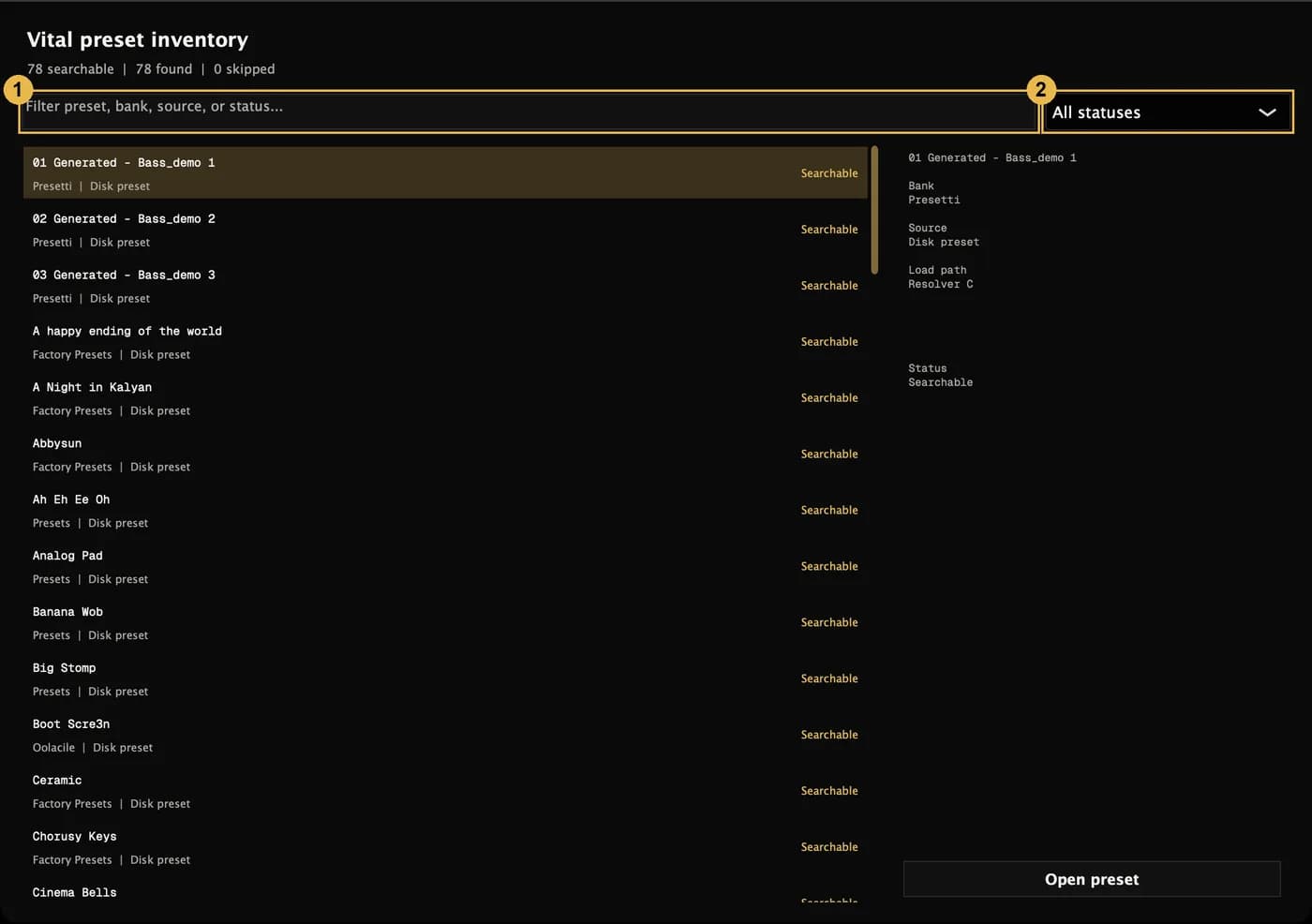
- Type in the filter box to find presets by name, bank, source or status.
- Use the status menu to show only one kind: Searchable, Rendered, not searchable, Skipped, or Found, not built.
What the statuses mean
| Status | Meaning |
|---|---|
| Searchable | Built and in the search library. |
| Found, not built | Analyse found it, but it hasn't been built yet. Tick the synth and build to add it. |
| Rendered, not searchable | A clip exists but isn't in the search library yet. Building the synth again adds it. |
| Skipped | Presetti couldn't render it. Select it to see the reason. |
Preset details
Select a preset to see its bank, where it comes from, its status and, if it was skipped, the reason. Open preset shows the preset file in Explorer. Factory presets stored inside the plugin itself have no file to show.
If you change a preset bank on disk after a build, a skipped preset that no longer exists stays in the list as No longer discovered, with its original reason, so the counts still add up.
Build your library
Pick the synths you want to search, then let Presetti render a short clip of each preset. You can pause, stop early, and add more synths later.
Add preset folders and plugin folders
Point Presetti at preset banks it didn't find on its own, or at plugin folders outside the usual places.