Find presets that sound alike
Click any preset on the Search tab to list the presets in your library that sound most like it, closest first, then play and open them.
Before you start
- Your library has at least one built synth.
Open Search
Click Search at the top of the window. The middle column lists every searchable preset in your library. Click the triangle on any row to hear it.
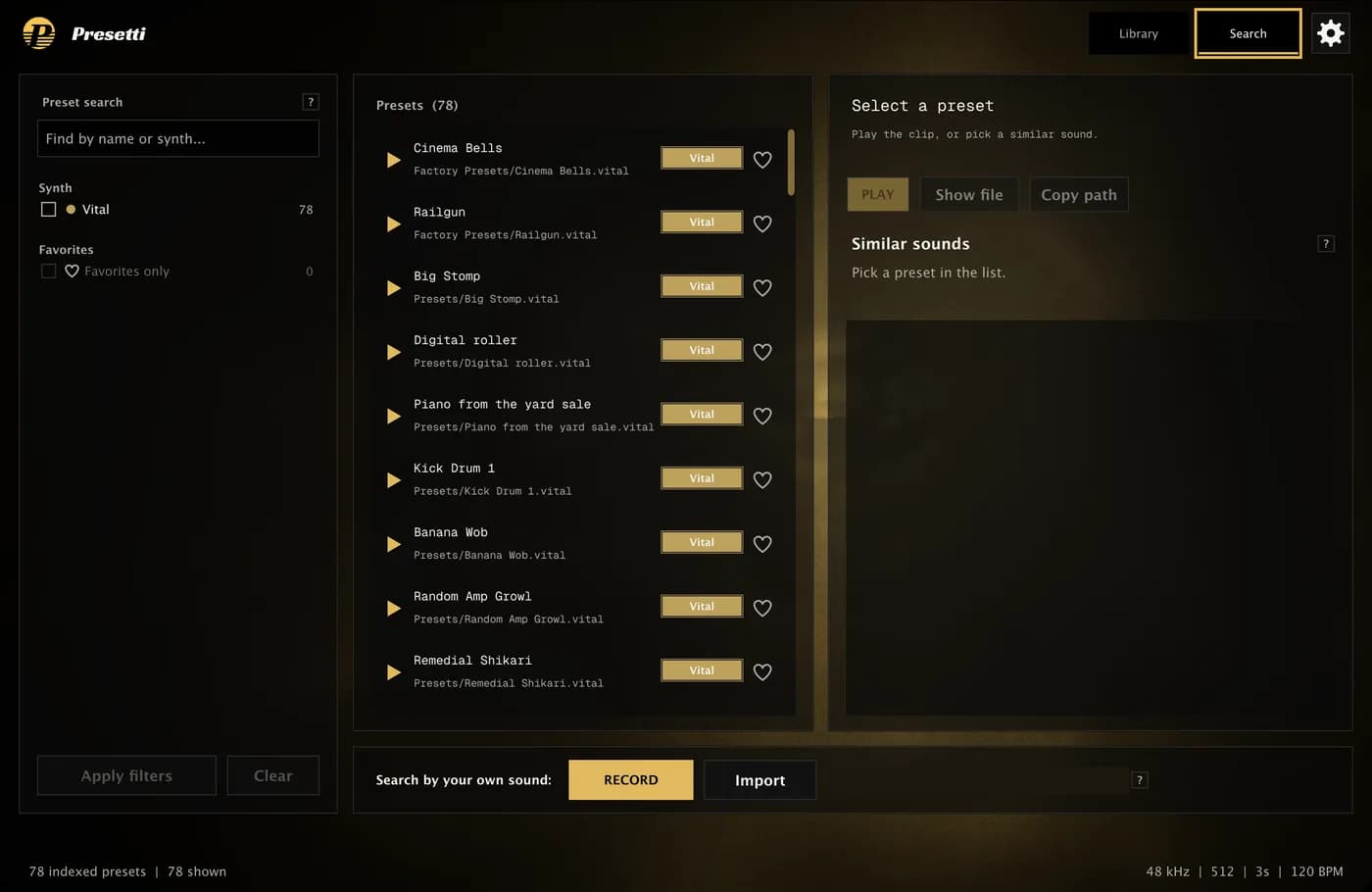
Pick a preset
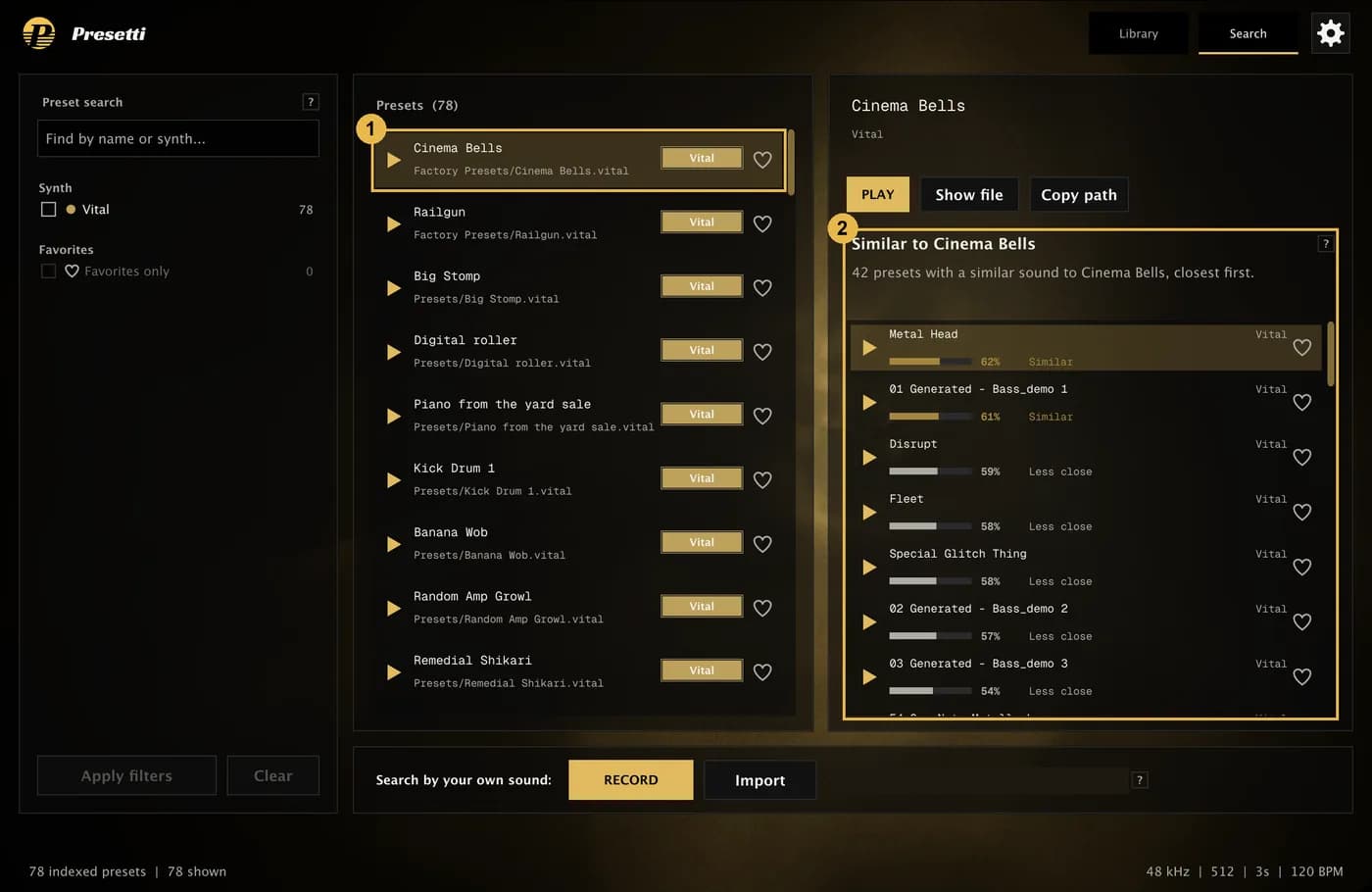
- Click a preset's name.
- The right side lists the presets that sound most like it, closest first. A line above the list says what you're looking at, for example "42 presets with a similar sound to Cinema Bells, closest first."
Click any result's name to search from that one instead. It's a quick way to wander through your library by ear.
Read the scores
Each result has a bar and a percentage, labelled:
- Very close: above 80%
- Similar: 60 to 80%
- Less close: below 60%
The percentage compares results with each other. It isn't the chance that a preset is an exact match. Lists go down to 40% and hold up to 150 presets. Further down, results can sound quite different, so trust your ears.
Use a preset you found
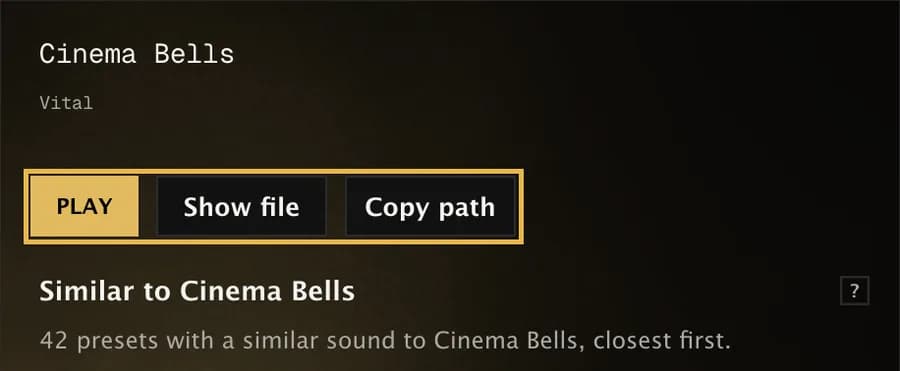
Above the results, the selected preset has three buttons:
- Play plays its clip.
- Show file opens the folder with the preset file in Explorer.
- Copy path copies the file's location, so you can paste it into your synth's or DAW's file browser.
Then load the preset in your synth as you normally would. Presetti doesn't load presets into your DAW for you.
Want to start from your own sound instead of a preset? See Record a sound or import a file.